For UK players who enjoy casino games alongside sports betting, the Fitzdares app offers a convenient way to access an established betting and gaming platform from a mobile device. Rather than searching for an unofficial application in an app store, players should use the official Fitzdares website to find the current mobile option, verify availability, and sign in securely.
This guide explains how to download and use the Fitzdares casino app in the United Kingdom, what to check before registering, and how the mobile experience compares with accessing the site through a browser. It also covers responsible play, payment considerations, and practical points that can affect the installation process.
What Is the Fitzdares Casino App?
Fitzdares is a UK-focused online betting operator with a selection of casino products available to eligible customers. Depending on the device and current service structure, access may be provided through a dedicated mobile application, a progressive web app, or a mobile-optimised website. The exact download route can change, so the official Fitzdares website should always be treated as the primary source.
The mobile service is designed for convenient access to account management, sports markets, casino games, promotions, deposits, withdrawals, and customer support. A mobile interface can be particularly useful for users who prefer a portrait mobile client for commuting players, although gambling should only take place when it is safe, legal, and financially manageable.
Before Downloading: Important UK Checks
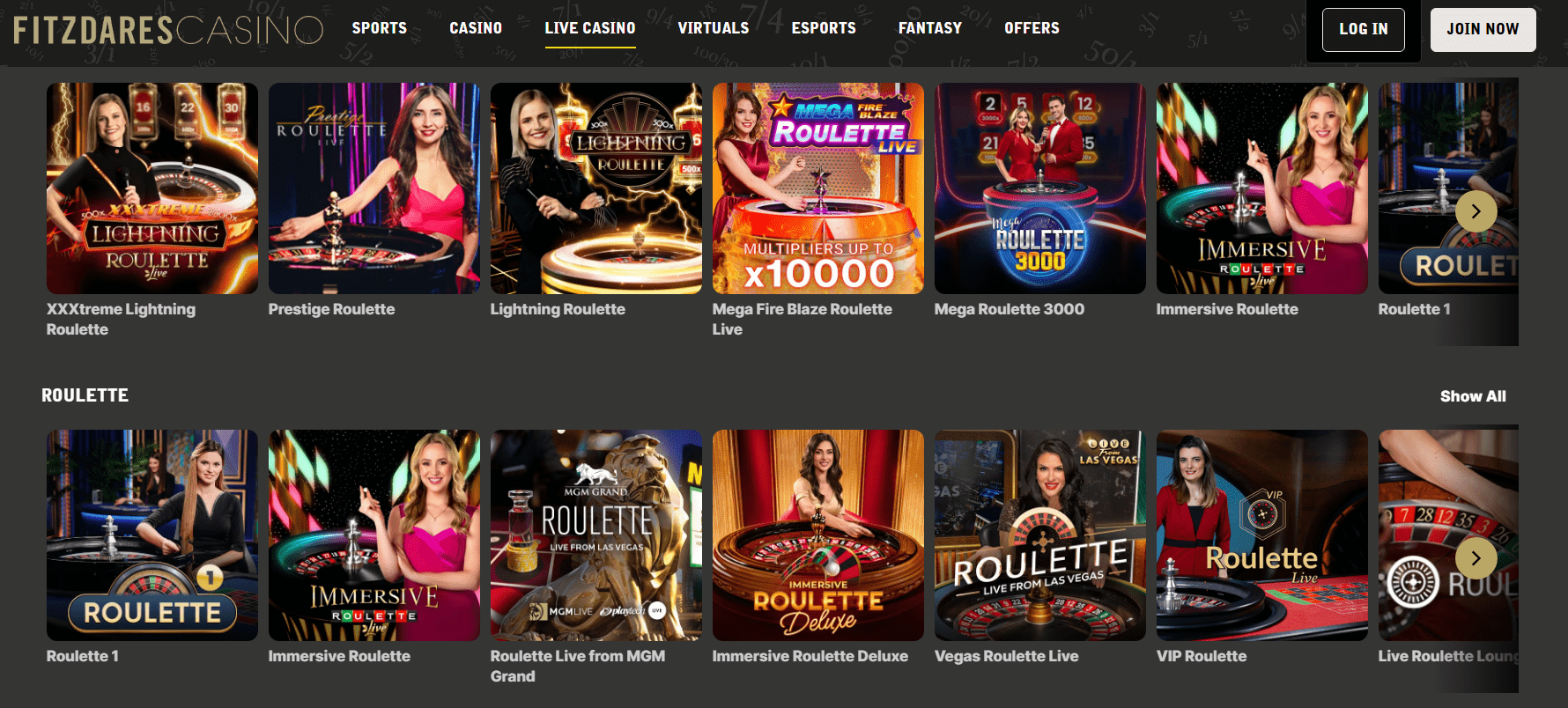
Before installing anything, confirm that you are using the genuine Fitzdares domain and not an advertisement, mirror site, or download page from an unknown publisher. The operator’s branding, privacy information, terms, and licensing details should be visible before you enter personal or payment information.
- You must meet the minimum legal age requirement for gambling in Great Britain.
- You should be physically located in a jurisdiction where the service is available.
- Your device must use a supported version of Android or iOS, if an app is offered.
- Your account information must be accurate and belong to you.
- You may be asked to complete age and identity verification.
- Location, payment, and technical checks can affect access.
Users in Northern Ireland should also check the terms that apply to their location. Availability, product features, and regulatory arrangements may not be identical across every part of the UK.
How to Download the Fitzdares App on Android
Step 1: Open the official Fitzdares website
Use a current mobile browser and type the Fitzdares web address manually or access it through a trusted source. Avoid clicking on unfamiliar pop-up advertisements promising exclusive downloads or unusually large bonuses.
Step 2: Look for the mobile or app option
Once the website opens, look for a link labelled App, Mobile App, Download, or a similar term. If Fitzdares currently provides an Android application, the official page should explain the installation method. In some cases, the service may operate as a browser-based product rather than a traditional Google Play download;
Step 3: Review the publisher and permissions
If an Android package is offered directly, check that it comes from an official Fitzdares source. Review the requested permissions before proceeding. A gambling app normally needs network access and may request notification permissions, but permissions unrelated to its function deserve careful consideration.
Step 4: Install and open the application
Follow the on-screen instructions and wait for the installation to finish. If Android asks you to allow installation from an unknown source, do not change this setting unless you are certain that the file comes from the official operator. After installation, it is sensible to disable permission settings that are not needed.
Step 5: Sign in or register
Existing customers can normally enter their registered email address or username and password. New users should complete registration through the official application or website, provide truthful details, and read the account terms before depositing money.
How to Access Fitzdares on iPhone and iPad
Apple devices use a more controlled application-distribution system. If Fitzdares has an approved app in the UK App Store, search for it by name and verify the developer information before downloading. Do not rely solely on the logo, as unofficial applications can imitate a company’s branding.
If no native iOS app is available, Fitzdares may offer a mobile website or a progressive web app. To create a home-screen shortcut in Safari, open the official site, tap the Share icon, select Add to Home Screen, and confirm the shortcut. This does not necessarily install a full native application, but it can provide fast access and a familiar app-like layout.
Keep iOS updated, use a device passcode, and avoid saving login details on shared devices. Face ID or Touch ID can provide extra convenience, but account security still depends on a strong password and careful device use.
Registering and Verifying a UK Account
Registration generally requires personal information such as your name, date of birth, address, email address, and telephone number. These details are used for account administration, age verification, anti-money-laundering controls, and regulatory obligations.
Fitzdares may request documents to confirm identity or address. Upload documents only through the secure account area and ensure that images are readable. Do not send identity documents to unofficial email addresses or individuals claiming to represent customer support through social media.
Verification can be requested before or after a deposit, and an account may have restrictions until the process is complete. Providing inconsistent information can delay approval or prevent withdrawals, so accuracy is important from the beginning.
First Deposit and Casino Access
After logging in, open the casino section from the main navigation. You may see categories such as slots, table games, live casino, or featured titles. Game availability can depend on location, account status, device compatibility, and current supplier arrangements.
Before making a deposit, review the available payment methods, minimum amounts, processing times, and any applicable restrictions. Use a payment method in your own name. Never deposit more than you can comfortably afford to lose, and do not treat gambling as a way to solve financial problems.
Promotions should be read carefully. Check wagering requirements, qualifying games, maximum bet rules, expiry dates, contribution percentages, and withdrawal conditions. A bonus is not free money if it creates obligations that do not suit your budget or playing style.
Mobile Casino Experience
The Fitzdares mobile environment is intended to make navigation straightforward. Players can usually move between casino categories, account settings, payment pages, and help sections without needing a desktop computer. A responsive design may also adjust game controls to smaller screens, although performance depends on the handset, connection, and game provider.
For the best experience, use a reliable Wi-Fi or mobile-data connection and keep the operating system current. Close unnecessary applications if a game loads slowly. If a title repeatedly freezes, log out, clear browser data where appropriate, and check whether the problem affects one game or the entire platform.
Strategies and Tips for Safer Play
- Set a deposit limit before you start playing.
- Use reality checks or session reminders where available.
- Decide on a time limit and stop when it ends.
- Never chase losses by increasing your stake.
- Remember that casino games use random outcomes and cannot be predicted reliably.
- Take breaks and avoid playing when stressed, tired, or under the influence of alcohol.
- Use self-exclusion or blocking tools if gambling stops feeling enjoyable.
Slots and casino games do not provide guaranteed returns. Previous results do not determine the next outcome, and no betting system can remove the house edge. A sensible approach is to view play as paid entertainment rather than as an income source.
Common Download and Login Problems
The app cannot be found
The operator may not offer a standalone application for your device or may have moved to a web-based format. Visit the official mobile page rather than downloading a file from a third-party website.
The installation fails
Check available storage, operating-system compatibility, internet access, and device security settings. Restarting the device can resolve temporary problems, but do not disable important security protections simply to complete an installation.
Login details do not work
Use the password-reset function on the official website or app. Check whether your email address has been entered correctly and whether the account has a verification requirement. Customer support can help with account-specific issues.
A payment or withdrawal is pending
Processing times vary by method and may be extended by identity checks, bank procedures, weekends, or responsible-gambling reviews. Check the transaction history and contact official support if the published timeframe has passed.
Frequently Asked Questions
Is the Fitzdares casino app free to download?
Accessing an official application or mobile website should not normally involve a download fee. However, games are played for real money only after a deposit, and normal mobile-data charges may apply.
Can I use the same account on mobile and desktop?
Usually, the same Fitzdares account can be used across supported devices. Account restrictions, verification requirements, and product availability still apply regardless of the device used.
Is Fitzdares safe for UK players?
Safety depends on using the official service, protecting your login credentials, and following responsible-gambling controls. Confirm the operator’s current UK regulatory information and read the terms before playing.
Can I withdraw through the app?
If mobile withdrawals are supported, the option should appear in the account or cashier section. You may need to complete verification, use an eligible payment method, and satisfy any applicable account conditions first.
What should I do if I want to stop gambling?
Use available deposit limits, time-outs, account restrictions, or self-exclusion tools. You can also seek confidential help from recognised UK organisations such as GamCare, GambleAware, or the National Gambling Helpline.
Final Verdict
Downloading or accessing Fitzdares on a UK mobile device is generally a simple process when completed through the official website or verified app marketplace. The most important steps are checking authenticity, using a supported device, completing account verification honestly, and understanding payment and bonus terms before playing.
The mobile platform can be practical for customers who want casino and betting access away from a desktop, but convenience should never replace control. Set limits in advance, protect your account, and remember that casino games are forms of entertainment with uncertain outcomes rather than reliable ways to make money.